Dashboard
Personal home screen — action items, KPI tiles, activity feed. Customizable per user, role-aware server-side.
Every user lands on /dashboard after sign-in. Three vertical zones surface the same shape for every role, but the server fills them differently per role + module — vendor admins see different action items + KPIs than super_admins, and disabled-module surfaces are hidden automatically.
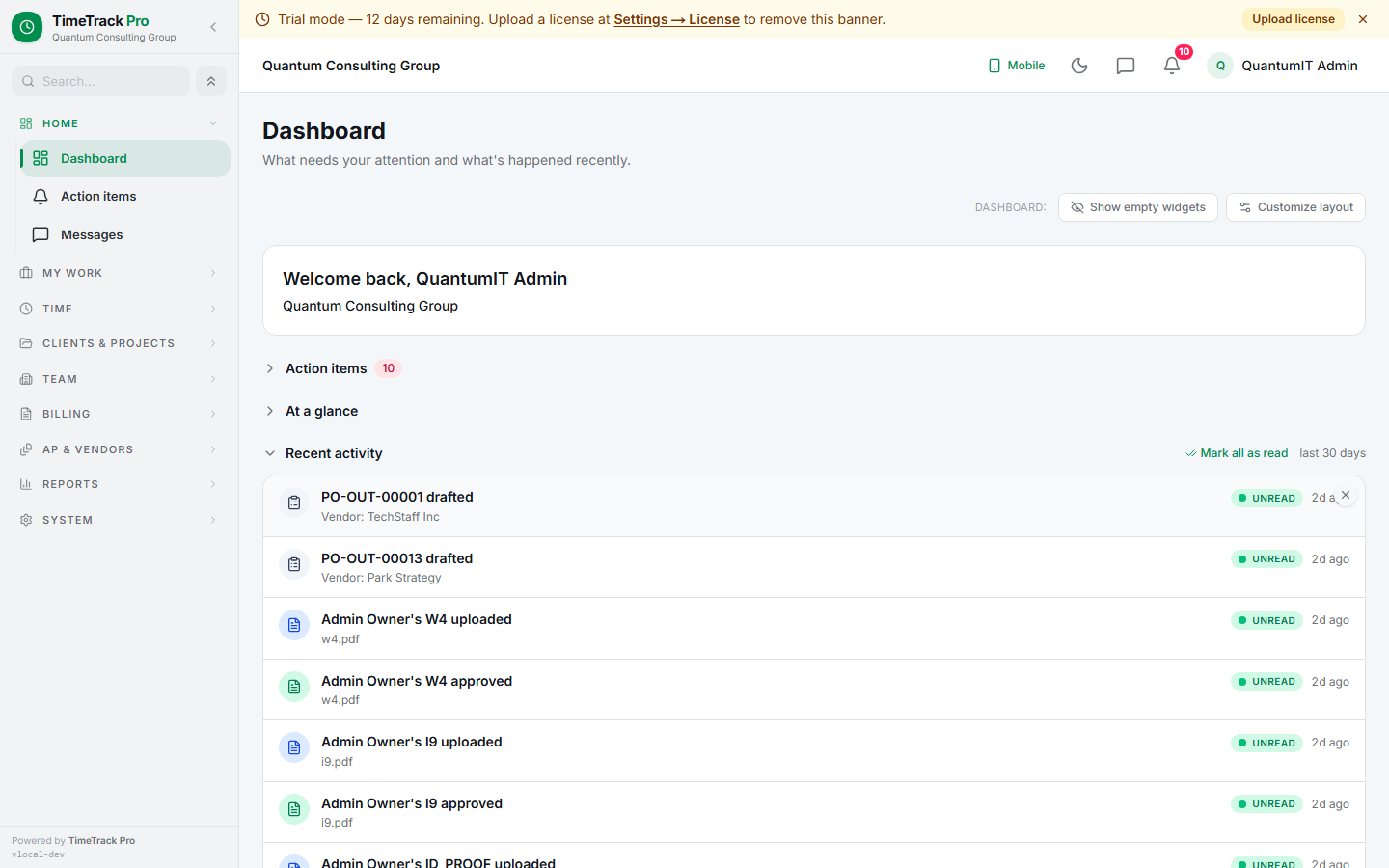
Three zones
Zone 1 — Action items
Zone 2 — KPI tiles
Zone 3 — Activity feed
Customize mode
Click Customize in the top-right toolbar to toggle edit mode. Every card gains a hide × and a drag handle.
- ✓Hide widgets you never want — click × to drop one
- ✓Reorder within a zone — drag the handle
- ✓Collapse zones — chevron toggle on each heading
- ✓Show empty widgets — opt-in to see dormant cards
Preferences persist per user via users.dashboard_prefs JSON column. Reset link in the toolbar wipes overrides back to default.
Activity feed read/unread
Each feed event has a stable id. Click the row (or its Unread pill) to mark it read. Click the × to dismiss permanently. "Show dismissed (N)" toggle interleaves restored events back into the chronological feed with a rose-tinted row so you can undo any dismiss.
Role variation
Super admin
Manager
Vendor admin
Employee / member / 1099
users.dashboard_prefs JSON column. Each event carries a stable id — click Unread to toggle, × to dismiss. Reset link in the toolbar wipes overrides back to default.