Clients & projects
Clients are your billable customers; projects are the engagements under them.
What each client carries
Contact info
Billing cycle
OT multiplier
Tax + terms
ledes_client_id for legal billing.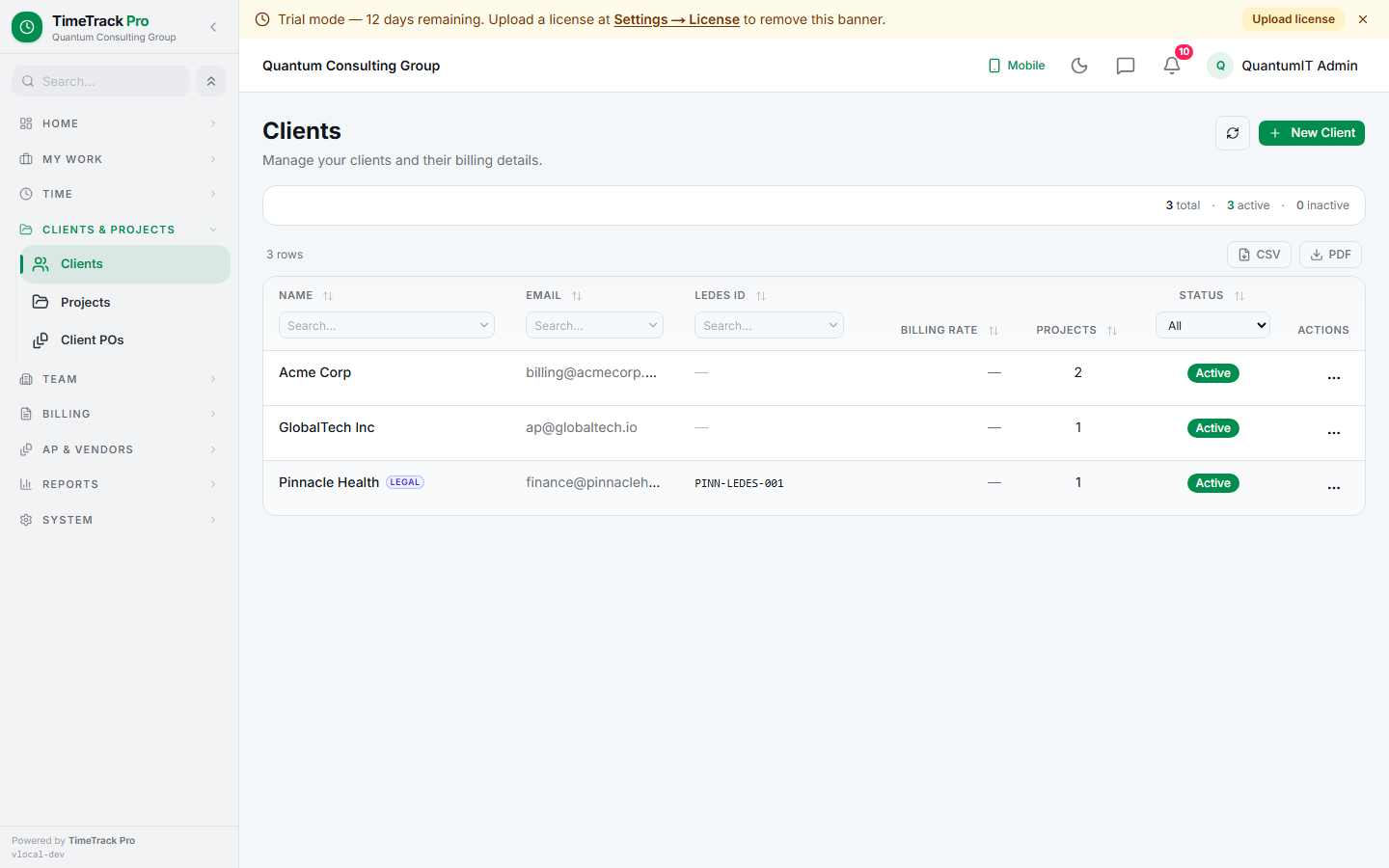
Projects belong to one client
- ✓Billing method: hourly / fixed-fee / retainer
- ✓Optional budget + start/end dates
- ✓Team: employees + contractors authorized to log time
- ✓uses_tasks toggle for finer-grained breakdown
- ✓is_legal_matter flag + matter IDs for LEDES
- ✓Stamped onto every emitted invoice line
Client team rollup
The client detail page deduplicates team members across all of the client's projects, with a per-member project list. Useful for "who's working on this client this week?"
One-click project create
The "New Project" button on the client detail page opens the project form pre-filled with that client — saves a toggle back to the clients list.
Retainers tab (advance deposits)
Both the client detail page and the project detail page (for legal matters) expose a Retainers tab where admins record advance deposits with an initial balance + low-balance threshold. Every drawdown is a ledger row with a frozen balance_after; refunds, replenishments, and adjustments are separate kinds. Not legal-only — consultants call them monthly retainers, agencies do retainer engagements, CPAs collect tax-prep deposits. Same mechanics.
Client attachments (file cabinet)
Every client detail page has a Documents tab for generic client-scoped file storage — signed MSAs, brand guides, W-9s, SOWs, etc. 25 MB cap per file; PDF / images / Word / Excel / CSV / plain text allowlist. This is a file cabinet, not a workflow driver: nothing else in the app references these files, so admins can upload whatever they want without side effects.
Legal-matter pill on lists
When the attorney module is enabled + a project carries is_legal_matter=true, the clients list, projects list, and invoices list surface a small indigo "Legal" pill on the matching rows. Companion columns (LEDES ID on clients, Matter ID on projects, LEDES export status on invoices) auto-show when any row in the tenant carries a value, auto-hide otherwise.